Your pickup.
Your destination.
Choose where you’re starting and where you want to go before requesting a ride.
MOTORBIKE TAXIS · CHONGWE, ZAMBIA
Meet DHW-inRide: passenger and rider Android apps for motorbike journeys in Chongwe. Choose your app and find out how to get started.
Public launch pending
Android APKs · no app store needed.Public releases are coming soon.
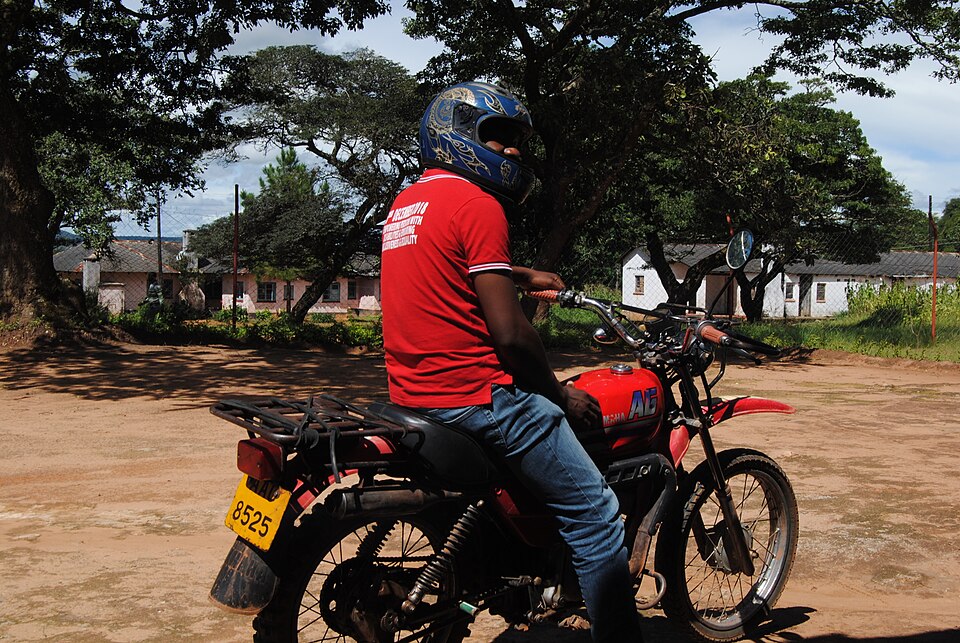
FOR THE EVERYDAY JOURNEY
A focused motorbike experience.
The details you need, in one app.
Choose where you’re starting and where you want to go before requesting a ride.
Once matched, view the assigned rider and motorcycle details in the passenger app.
Find completed journeys in your trip history and open the receipt for that trip.
FROM DOWNLOAD TO DESTINATION
Install the Passenger APK on a supported Android phone when the release is available.
Create your passenger account and sign in. Follow email confirmation instructions if required.
Choose your pickup and destination, then review the trip details shown.
Submit your request when service is available. A ride is assigned after a rider accepts.
The service is being prepared for a controlled pilot. A download does not guarantee that rides are available.
BEFORE YOU SET OFF
Know who you’re meeting. Confirm the trip together.
Compare the rider and motorcycle with the details in your app before boarding.
Share the trip PIN only when you are physically with your assigned rider at pickup.
Riders and passengers should wear properly fastened helmets. The app is not an emergency response service.
STRAIGHT TO YOUR PHONE
Direct APK downloads for Android. Choose the app that’s right for you.
FOR PASSENGERS
Set your destination, request a motorbike ride and keep your trip details together.
Available with the verified release.
Coming soon. A verified signed APK is not yet published.
FOR RIDERS
For riders onboarded by the operations team. Manage availability and assigned trips.
Available with the verified release.
Coming soon. A verified signed APK is not yet published.
Android 8.0 or later is planned. The actual requirement will be shown with each verified release. APK files cannot be installed on an iPhone.
Keep Play Protect enabled. If Android shows a security warning, stop and contact support; do not bypass it. About Android installation permissions.
When the signed release is published, use the Passenger or Rider APK button on this page. Open the file and follow Android’s installation prompts. You may need to allow the browser or file manager that opened the APK to install apps; you can turn that permission off afterwards. Never disable Play Protect or ignore a security warning.
The current apps require Android 8.0 (API 26) or later. The minimum version shown on each released APK will be checked against that actual file. File sizes and release dates will appear when downloads are published.
These downloads are Android APKs and cannot be installed on an iPhone. There is currently no verified iPhone app or installable web app in this project.
Return to this page for the latest verified APK and check the version. Android can install an update over an existing app when its package and signing identity match. No automatic update service is currently provided.
DHW-inRide is being prepared for a controlled motorbike pilot in Chongwe. Availability depends on the approved service boundary, operating controls and available riders. Public trip operations are not yet confirmed; contact operations before planning a journey.
Contact operations first. The current pilot requires admin-led onboarding and activation checks. Downloading the Rider app alone does not activate a rider account.
Use the phone or email in the Support section below. Support hours and response times have not been confirmed. DHW-inRide is not an emergency response service.
LET’S TALK
Contact the DHW-inRide operations team.
Support hours and response times are not yet confirmed.
The admin dashboard has not been hosted yet. Its sign-in page will be linked here when the operator confirms its HTTPS address.
A signed-in admin account is required. This link does not grant dashboard access.